Estate planning, done in one conversation
Prepare for review meetings, spot plan gaps, and invite new clients, without leaving your AI assistant.
Prepare a one-page brief for my review meeting with Robert Chen.
Your assistant reads your live Bloodline records, so every answer reflects where each plan actually stands.
Prompt your way to a better review
Bloodline brings your clients' estate plans into Claude and ChatGPT, so the prep gets easier and the conversations get better.
Connect your Bloodline account
Add Bloodline to Claude or ChatGPT once and sign in with your partner account.
Ask about any client
Plan status, gaps, key people and estate totals for the clients you referred.
Walk in prepared
Meeting briefs, talking points and client invitations, in one conversation.
What you can ask
Condensed from real Claude answers, using a demo advisor account with sample clients.
Walk into every review meeting prepared
A one-page brief for any client: where the plan stands, the estate at a glance, key people, and the points worth discussing.
Prepare a one-page brief for my review meeting with Robert Chen.
Review brief: Robert Chen
Status
With legal team
Intake
100%
Plan health
95/100
Estate tax
None
Estate at a glance
- •Assets: $6.15M, incl. ~$1.8M business
- •Life insurance: $500K
- •Debts: $0
Key people
- •Executor: Emily (daughter)
- •Trustees: Robert and Emily
- •Financial POA: Emily
- •Healthcare proxy: Andrew (son)
- •Beneficiaries: Emily 50%, Andrew 50%, plus one charity
Raise in the meeting
- 1.Business succession: $1.8M business, no succession plan. Discuss a buy-sell or a transfer into the trust.
- 2.Trust type: Still open. Confirm his preference.
- 3.Role balance: Emily holds three roles. Confirm that's intended.
- 4.Charitable gift: Confirm recipient and amount.
Next step: Plan is with the legal team. Set expectations for review and signing.
Connect Bloodline to Claude
- Step 1
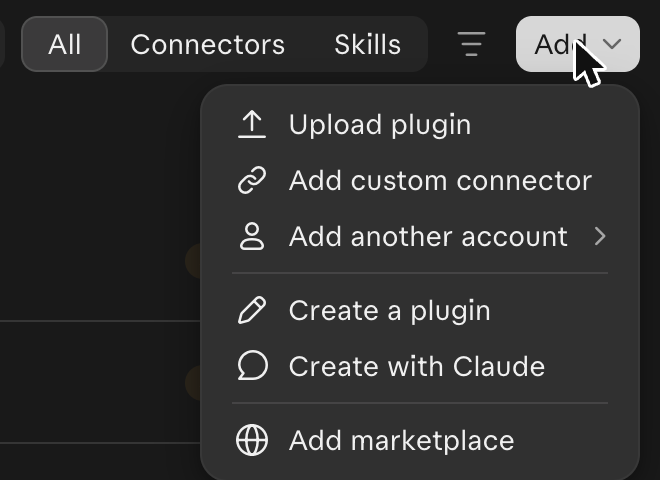
Open Connectors and choose Add custom connector
In Claude, open Customize, then Connectors. Click Add, then Add custom connector.
- Step 2
Name it Bloodline and paste the connection URL
Type Bloodline, paste the URL below, and click Continue.
https://getbloodline.com/api/mcp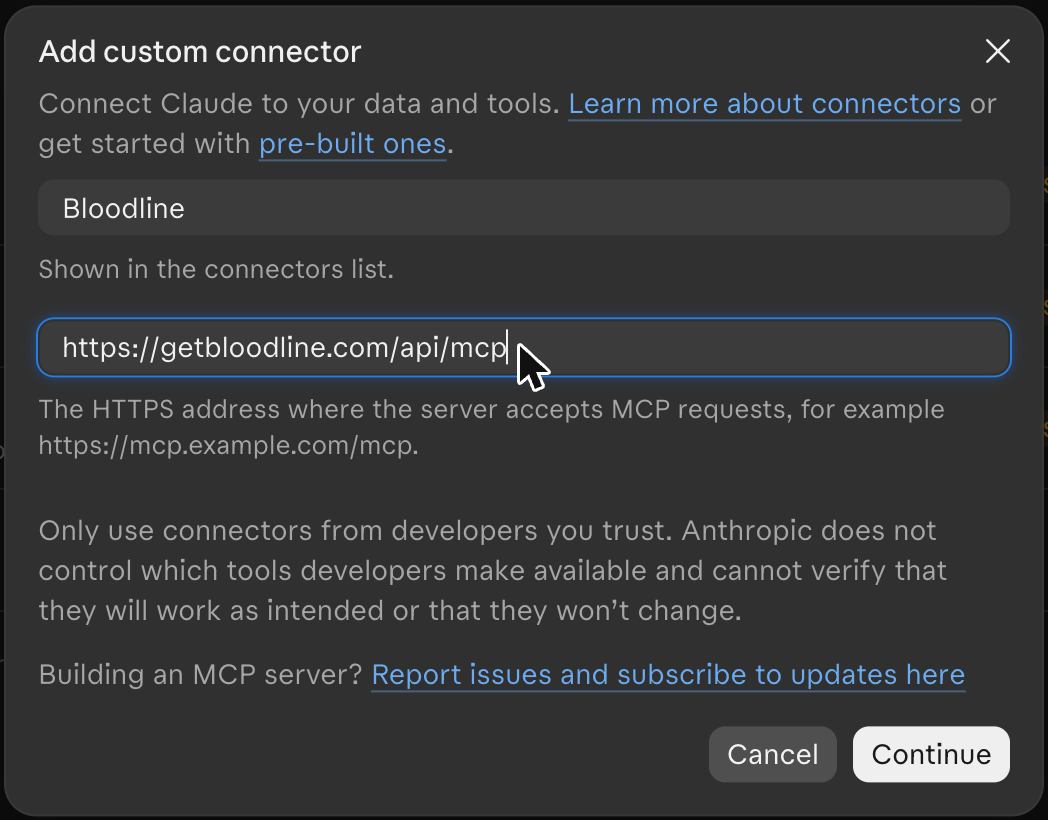
- Step 3
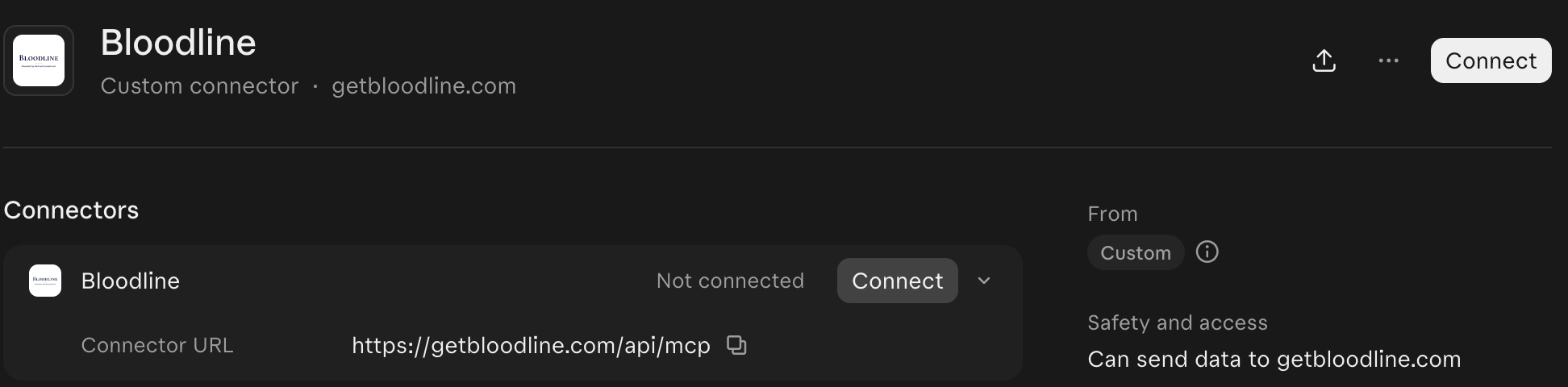
Click Connect
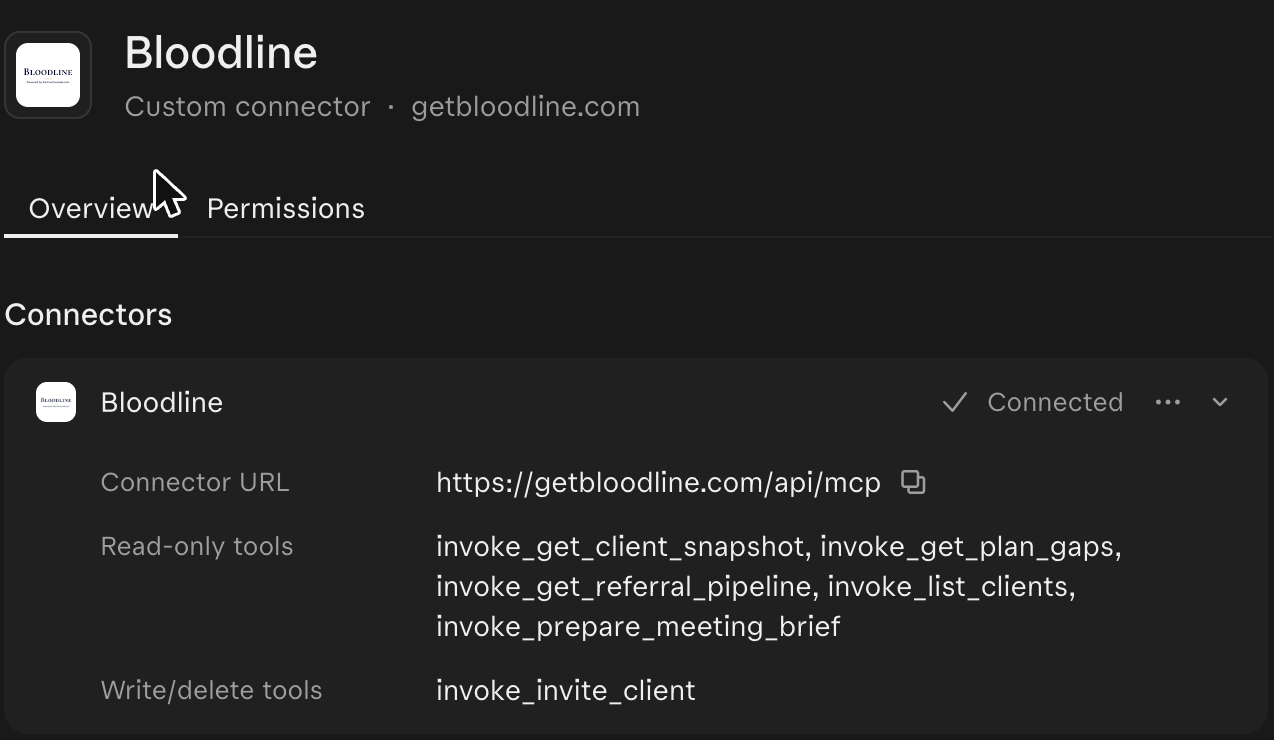
Bloodline appears in your connectors. Click Connect to sign in.
- Step 4
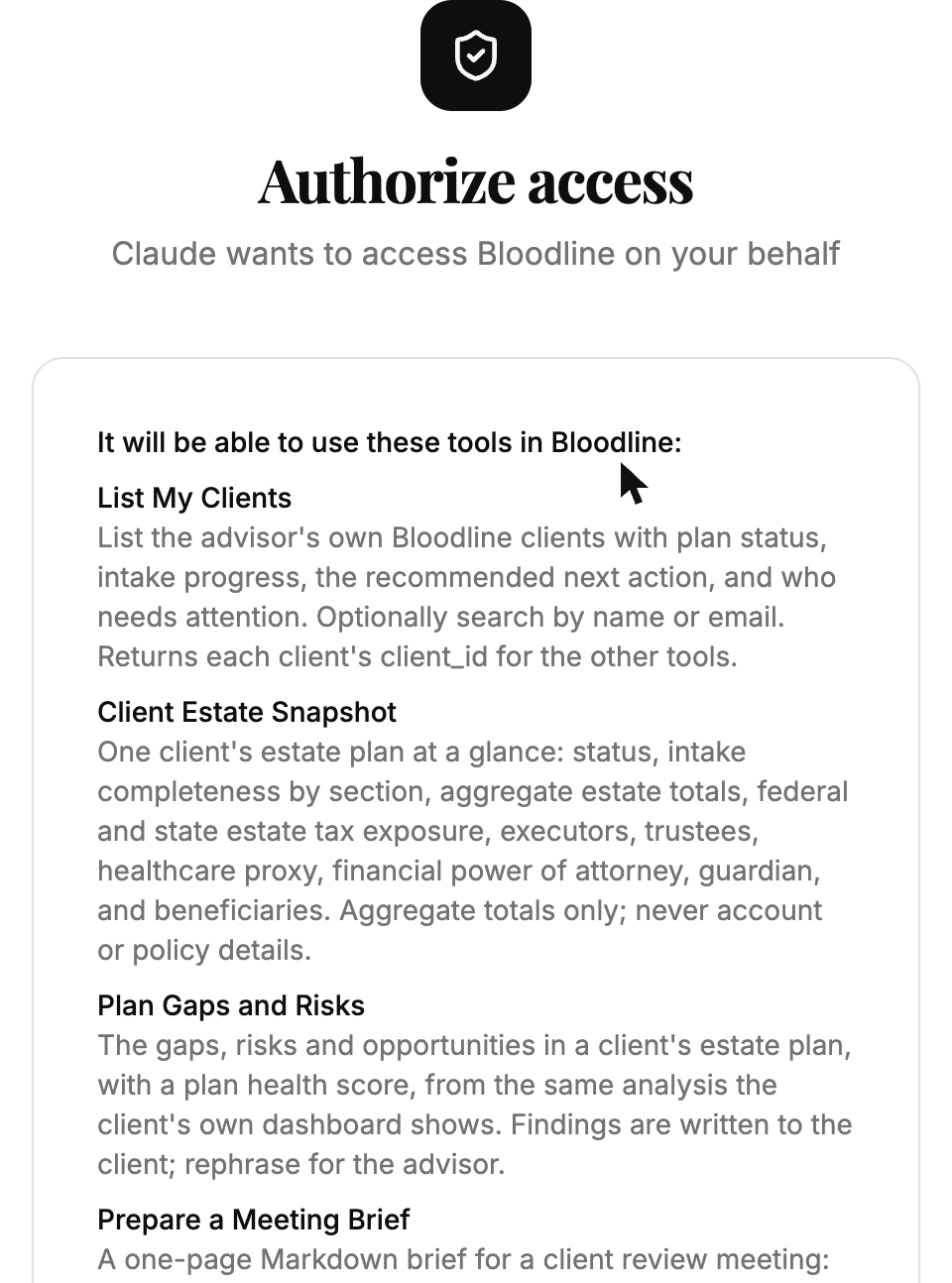
Sign in and approve
Sign in with your Bloodline partner account. Bloodline lists exactly what Claude can do. Click Approve.
- Step 5
Start asking
Bloodline shows as Connected. Open a new chat and ask about your clients.
Using ChatGPT instead?
- In ChatGPT, open Settings, then Apps.
- Turn on developer mode (Settings, Apps, Advanced settings) and create an app with this URL:
https://getbloodline.com/api/mcp - Sign in with your Bloodline partner account and click Approve.
- In a new chat, choose Bloodline from the tools menu and ask about your clients.
Built for how advisors actually work
Your clients only
You see the clients you referred, and only what your partner dashboard already shows.
Attorney-backed
Every plan is prepared and personally reviewed by a licensed attorney.
Nothing sensitive
Never account or policy numbers, street addresses, or documents.
You stay in control
It cannot change or submit a plan. Disconnect any time from your assistant's settings.
FAQs
What is a connector?
A secure link between your AI assistant and Bloodline. Once connected, Claude or ChatGPT can look up your Bloodline clients when you ask, using your own Bloodline sign-in.
Who can use it?
Bloodline partners: financial advisors and other professionals who refer clients. Clients don't need to do anything.
What can it see and do?
The same information as your partner dashboard, for your own clients: names, status, progress, key people and totals. It can send a client invitation when you ask. It cannot change, delete or submit any client's plan.
Is my clients' information used to train AI?
Bloodline never uses clients' estate plan information to train AI models. What your assistant reads is handled by its provider under your own agreement with them. See section 6 of our Privacy Policy. Privacy Policy.
What do I need to get started?
An active Bloodline partner account and Claude (a paid plan that allows custom connectors) or ChatGPT.
Is this legal advice?
No. The tools return information about your clients' plans for your use with them. Plans are prepared and reviewed by a licensed attorney.
More questions? Email admin@partnercounsel.com.
Connect your account to get started.
Your clients are already on Bloodline. Put your assistant to work on them in minutes.
Bloodline estate plans are prepared and personally reviewed by K. Alan Becker, Esq., a licensed attorney. Information from these tools is not legal advice.